

CIE Syllabus focus:
'Candidates should understand how the security of data can be ensured within a computerised accounting system.'
Computerized accounting systems store valuable financial information. Effective security protects that information from unauthorized access, accidental loss, deliberate fraud, and technical failure, helping the business produce reliable accounting records.
Why data security matters
A computerized accounting system holds records such as sales, purchases, receivables, payables, payroll, and bank balances. If data is stolen, altered, deleted, or made unavailable, the business may produce unreliable accounting information and make poor decisions. Security is therefore essential for accuracy, fraud prevention, and continuity of operations.
Data security: The protection of accounting data from unauthorized access, alteration, destruction, or loss.
Good security should protect confidentiality so only authorized people can view data, integrity so data remains accurate and complete, and availability so users can access the system when needed.
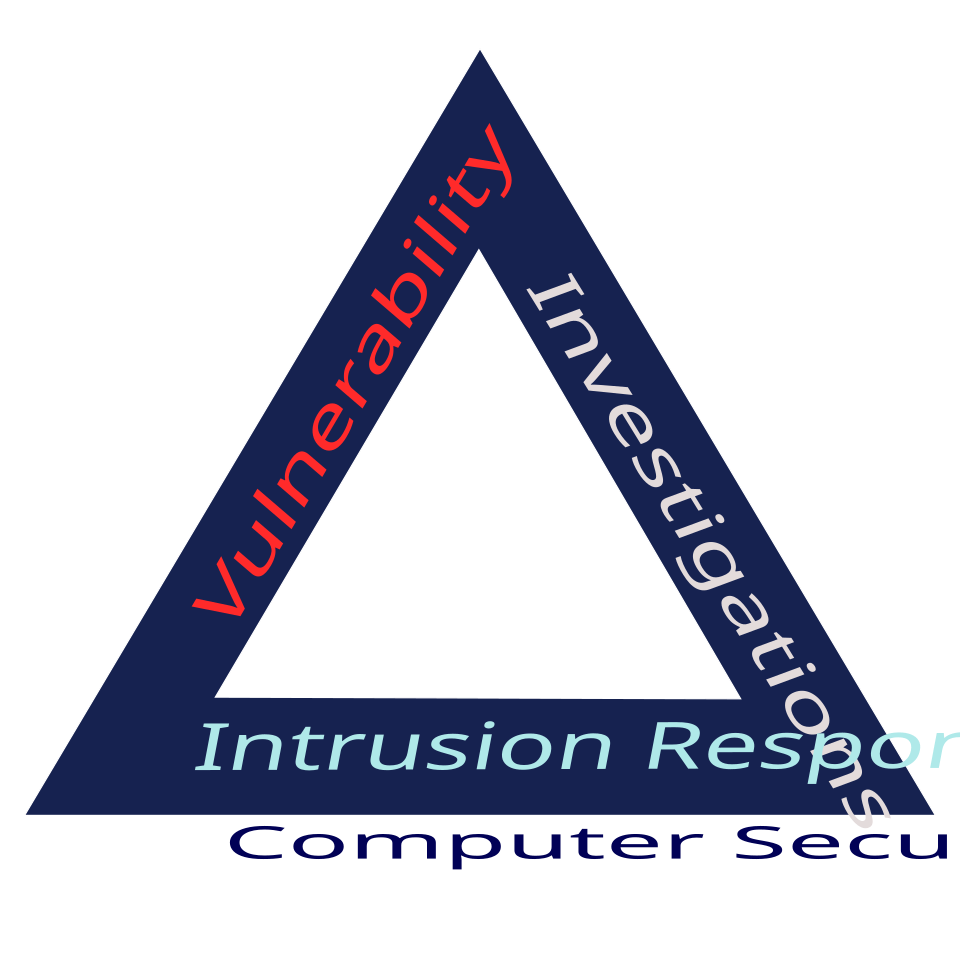
The computer security (CIA) triad diagram summarises the three core objectives of accounting data security: confidentiality, integrity, and availability. It helps students see that effective controls (e.g., passwords, backups, and audit trails) are designed to protect one or more of these objectives simultaneously. Source
Access controls
User IDs, passwords, and authentication
Each user should have a unique user ID. This makes responsibility clear and reduces the risk of unauthorized activity being hidden. Passwords should be strong, kept secret, and changed when required by policy. Users should log out or lock screens when not using the system. Where available, extra authentication, such as a code sent to a device, gives further protection.
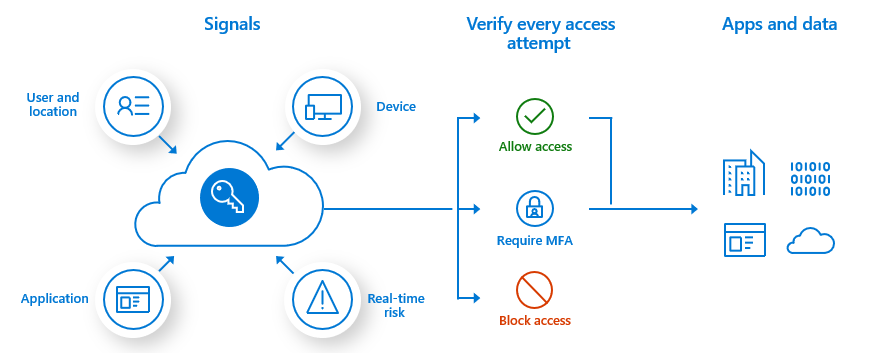
This diagram shows an access-control decision flow where sign-in “signals” (such as user/location, device, and risk) lead to outcomes like allowing access, requiring multi-factor authentication (MFA), or blocking access. It reinforces the idea that authentication is not just a password, but a set of controls that reduce unauthorized access to accounting data. Source
Different users also need different levels of authority within the system.
Access rights: The permissions that determine which parts of the system a user may view, enter, edit, or approve.
Permission levels and segregation
Not every employee should have full access. A cashier may enter receipts, while a manager approves changes to customer balances or supplier details. Limiting access on a need-to-know basis protects confidentiality and reduces the risk of fraud. It also supports segregation of duties, because one person should not control every stage of a transaction.
Permissions should be reviewed regularly. If an employee changes role, their access should be updated. If they leave the business, access should be removed immediately. Shared usernames should be avoided because they weaken accountability and make investigation harder.
Preventing data loss and damage
Backups and recovery
Backups protect the business if hardware fails, files become corrupted, or data is deleted. They should be made regularly, preferably automatically, and copies should be kept separately from the main system. Off-site or cloud storage is valuable because a fire, theft, or flood could destroy both the computer and local files. A business should also test whether backup files can actually be restored.
Backup: A separate copy of accounting data kept so records can be restored if the original data is lost or damaged.
A strong backup plan states how often backups are made, who checks them, where copies are stored, and how quickly the system should be restored after a failure. Businesses with a high volume of daily transactions usually need more frequent backups.
Protection against malware and technical failure
Viruses, ransomware, and other malware can damage records or prevent access to them. Anti-virus software, firewalls, and regular software updates reduce this risk. Staff should not install unauthorized software or open suspicious attachments, as this can introduce malicious programs into the system.
Equipment should also be protected from power problems. Surge protection and an uninterruptible power supply help reduce the chance of lost data caused by sudden shutdowns. Regular maintenance lowers the risk of hardware failure.
Maintaining integrity and confidentiality
Encryption and secure transfer
Accounting data is often sent to external accountants, branches, or cloud services. If it is intercepted, confidential information may be exposed. Encryption protects stored files and transmitted data by making it unreadable without authorization.
Encryption: The conversion of data into coded form so it cannot be read without authorization.
Secure connections and approved file-sharing methods are preferable to sending sensitive reports through insecure channels. Portable storage devices should be controlled carefully because they can be lost, stolen, or copied easily.
Audit trails and monitoring
A computerized system should record who entered, edited, or deleted data and when the action happened. This is known as an audit trail.
Audit trail: A record showing the source of data and the changes made to it, including the user and time of the action.
Audit trails help detect errors and suspicious activity. Managers can review unusual changes, repeated failed login attempts, or transactions entered outside normal procedures. Monitoring strengthens accountability because actions can be traced to individual users.
Authorization and input control
Sensitive actions should require approval. Examples include changing supplier bank details, writing off balances, or amending key standing data. This reduces the risk of unauthorized or fraudulent changes.
Input controls also support security. Validation checks and reasonableness checks help prevent incorrect or manipulated information from entering the system. Security is not only about keeping outsiders out; it is also about ensuring the data inside the system remains trustworthy.
Physical and procedural security
Even the best software controls can fail if physical and human controls are weak. Computers and servers should be kept in secure locations, with access restricted to authorized staff. Printed reports containing payroll or account details should be stored securely and destroyed safely when no longer needed.
Staff training is essential. Employees should know how to recognize suspicious emails, protect passwords, follow security procedures, and report incidents immediately. Refresher training matters because security threats change over time, and careless behavior can bypass strong technical controls.
Review of controls
Security arrangements should not remain unchanged. Management should review user permissions, backup reports, anti-virus status, and incident logs regularly. A control that was suitable before may become inadequate after staff changes, remote access, or business expansion. Regular review helps ensure that accounting data remains confidential, accurate, and available.
Practice Questions
State two ways a business can reduce the risk of unauthorized access to a computerized accounting system. [2]
1 mark for each valid way stated, up to 2 marks.
Accept answers such as:
unique user IDs
strong passwords
access rights / permission levels
two-factor authentication
locking screens or logging out
removing access for former employees
Explain three methods a business can use to ensure the security of data within a computerized accounting system. [6]
1 mark for each valid method identified, up to 3 marks.
1 mark for each explanation linked to how that method improves security, up to 3 marks.
Accept answers such as:
regular backups: data can be restored after loss, damage, or system failure
off-site or cloud backup: data is protected if the business premises are affected by fire or theft
access rights: users can only view or change data needed for their role
encryption: stolen or intercepted data cannot easily be read
anti-virus software / firewalls / updates: reduce the risk of malware or cyberattack
audit trails: changes can be traced to a specific user
physical security: prevents theft or unauthorized use of equipment
staff training: reduces mistakes and unsafe behavior
FAQ
Ransomware can lock a business out of its accounting records by encrypting the files. This may stop invoicing, payroll processing, supplier payments, and bank reconciliation work.
It is especially serious because deadlines still exist even when the system cannot be accessed. Paying a ransom does not guarantee recovery, so businesses need clean backups and a clear response plan.
Remote access increases risk because staff may use home networks, mobile devices, or public internet connections.
Useful controls include:
a secure VPN connection
company-approved devices
device encryption
screen locks
avoiding public Wi-Fi for sensitive work
remote wiping if a laptop is lost
Remote workers should also be trained to spot phishing emails and protect printed documents at home.
The first priority is to contain the problem. Access may need to be blocked, affected devices isolated, and passwords reset.
After that, the business should:
preserve logs and evidence
inform management promptly
identify what data may have been affected
check whether backups are clean before restoring
review whether external reporting is required
A rushed response can destroy evidence, so actions should follow a documented procedure.
Cloud backups are often automatic and easy to access, but they depend on internet connectivity and trust in the provider’s security. Physical off-site backups give the business direct control, but they require transportation, storage, and manual handling.
A business should compare:
cost
speed of recovery
reliability
encryption standards
storage location
ease of testing restores
Many businesses use both methods for added protection.
Biometric login, such as fingerprint or facial recognition, can improve convenience and reduce password sharing. However, it should not always be the only control.
If a biometric device fails or a staff member cannot use it, backup access is still needed. Biometric data also needs strong protection because, unlike a password, it cannot simply be changed if compromised.
For that reason, biometrics are often strongest when used with another method, not as a complete replacement.